

Pull up the same website on your phone, your laptop and a large monitor, and on a well-built site it looks right on each. Text is readable, images fit, nothing spills off the edge, and buttons are easy to tap or click. That smooth adaptability is the work of responsive web design.
It is the reason the modern web feels usable on the bewildering range of devices people now own, and it has become the default way good sites are built.
What responsive web design is
Responsive web design is an approach to building websites so that a single site automatically adjusts its layout and content to suit whatever screen it is viewed on.
The key word is single. Rather than creating separate websites for mobile and desktop, you build one site that responds to its surroundings. On a narrow phone, content might stack into a single column; on a wide monitor, the same content might spread across several. The underlying page is the same — it simply rearranges itself to fit.
This flexibility is what lets one website serve a phone, a tablet, a laptop and a television screen without anyone having to choose a "mobile version".
Why it became necessary
There was a time when web designers could assume a fairly standard screen size. Those days are long gone. People now browse on an enormous variety of devices, with screens ranging from a few inches to several feet across, in both portrait and landscape.
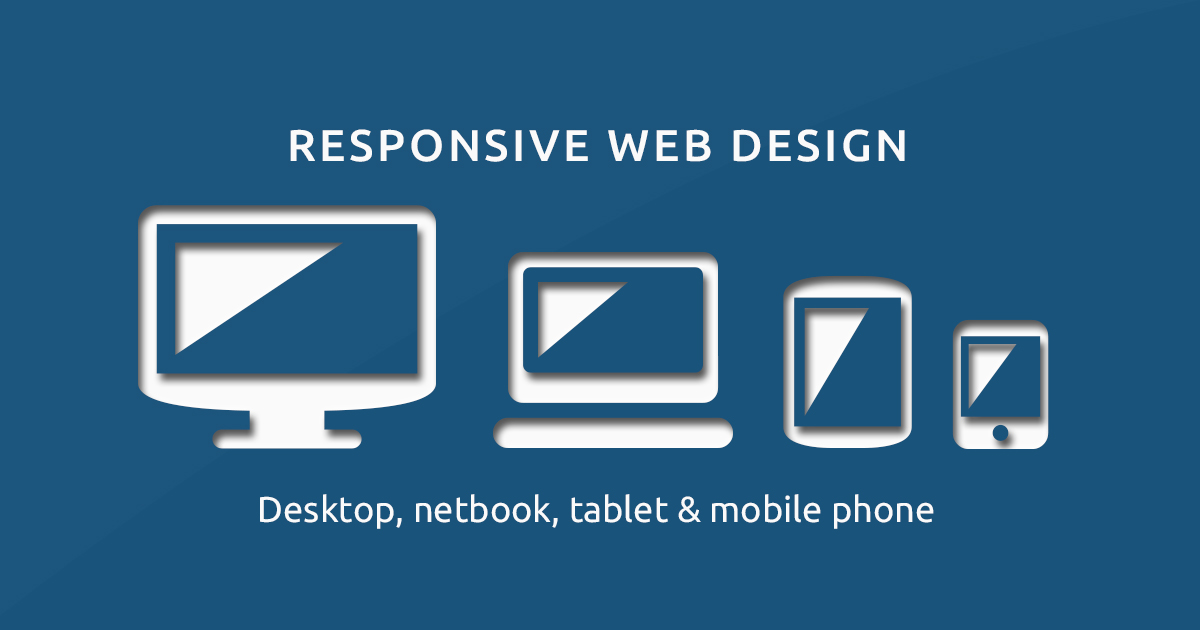
Building and maintaining a separate site for each category would be a nightmare, and trying to second-guess every possible device is hopeless. Responsive design sidesteps the problem entirely: instead of targeting specific devices, it adapts to whatever space is available. With most web traffic now coming from mobile devices, a site that does not work well on a phone is failing most of its visitors.
The three building blocks
Responsive design rests on three core techniques working together.
- Flexible layouts. Instead of fixed widths measured in pixels, elements are sized in proportions — percentages of the available space. So a column might take up half the screen whether that screen is small or large, expanding and contracting fluidly.
- Flexible images and media. Pictures and videos are set to scale within their containers, so they shrink on small screens rather than overflowing. (For speed, images should also be properly compressed and sized, as covered in our guide to speeding up a website.)
- Breakpoints. These are widths at which the layout changes more dramatically, using a styling feature called media queries. At a breakpoint, a three-column layout might collapse to one column, or a horizontal menu might fold into a tap-to-open menu.
A responsive site does not ask what device you are using. It asks how much space it has, and adapts to that.
The mobile-first mindset
A particularly effective way to approach responsive design is mobile-first: design for the smallest screen before scaling up, rather than starting with a desktop layout and squeezing it down.
The discipline this imposes is valuable. A small screen forces you to identify what truly matters — the essential content and actions — because there is no room for clutter. You then progressively enhance the design for larger screens, adding layout and richness as space allows. Sites built this way tend to be leaner and faster, because they begin from the essentials rather than stripping back from excess.
Why it matters beyond aesthetics
Responsive design is not just about looking tidy. It delivers concrete benefits.
- Better usability. Visitors get a comfortable experience whatever they are using, which keeps them engaged rather than frustrated.
- Stronger search performance. Search engines favour mobile-friendly sites and largely assess a site by its mobile version, so responsiveness supports your broader SEO. A poor mobile experience holds back rankings.
- Easier maintenance. One site means one set of content and code to update, rather than keeping multiple versions in sync. That saves time and prevents inconsistencies.
- Future-friendliness. Because it adapts to space rather than specific devices, a responsive site copes gracefully with new screen sizes that did not exist when it was built.
Common pitfalls to avoid
Responsive design is well established, but a few mistakes still crop up:
- Tiny tap targets. Buttons and links that are easy to click with a mouse can be fiddly on a touchscreen. Make interactive elements large enough to tap comfortably.
- Unreadable text. Fonts that look fine on desktop can become too small on mobile. Ensure body text stays legible without zooming.
- Hidden content. Hiding important information on mobile to save space frustrates users and can harm search performance. Adapt content, do not amputate it.
- Forgetting to test. A design can look perfect in theory and break on a real device. Test on actual phones and tablets, not only by resizing a desktop window.
The bottom line
Responsive web design lets a single website reshape itself to fit any screen, from a phone to a widescreen monitor, using flexible layouts, flexible media and breakpoints. A mobile-first approach, building up from the essentials, tends to produce the cleanest and fastest results.
It improves usability, supports search ranking and is far simpler to maintain than separate sites, which is precisely why it has become the standard rather than a nice extra. In a world of endlessly varied devices, a site that adapts is a site that works for everyone.
Frequently asked questions
What is responsive web design in simple terms?
It is a way of building a website so that the same site automatically adjusts its layout to fit whatever screen it is viewed on, whether a small phone, a tablet or a large monitor, giving a good experience on each.
How is responsive design different from a separate mobile site?
A separate mobile site is a second version, often on a different address, that you must build and maintain alongside the main one. Responsive design uses a single site and codebase that adapts itself, which is simpler and more consistent.
What does mobile-first mean?
It means designing for small screens first, focusing on the essentials, then progressively adding layout and features for larger screens. This usually leads to leaner, faster sites because you start from what matters most.
Why does responsive design matter for search ranking?
Search engines favour mobile-friendly sites and largely judge a site by its mobile version. A responsive site is mobile-friendly by design, so it supports better visibility as well as a better experience for visitors.


Join in — free. Comments on Daily Junction are for members, so real names stay rare and bots stay out.
One field. We email you a 6-digit code — no password needed. Your comment is kept while you do it.
Under 13? You’ll need a parent’s OK first — it takes them one click.