

If you have ever checked email in a browser, edited a document online with a colleague, or paid a monthly fee to stream music, you have already used SaaS. It is one of the most common ways software reaches people today, even though most of us never think about the label.
Here is what software as a service really means.
What SaaS is
SaaS — software as a service — is software you use over the internet, hosted on the provider's servers, usually for a recurring subscription fee.
Instead of buying a program, installing it on your computer and keeping it updated yourself, you simply log in through a web browser or app. The software itself lives in the provider's data centres. They run it, update it, back it up and secure the infrastructure; you just use it.
It is the most hands-off of the three main cloud models, where infrastructure and platforms can also be rented. SaaS is the layer where you manage almost nothing technical at all — you turn up and use finished software.
How the model works
The mechanics are straightforward, and they explain why SaaS feels so different from the boxed software of the past.
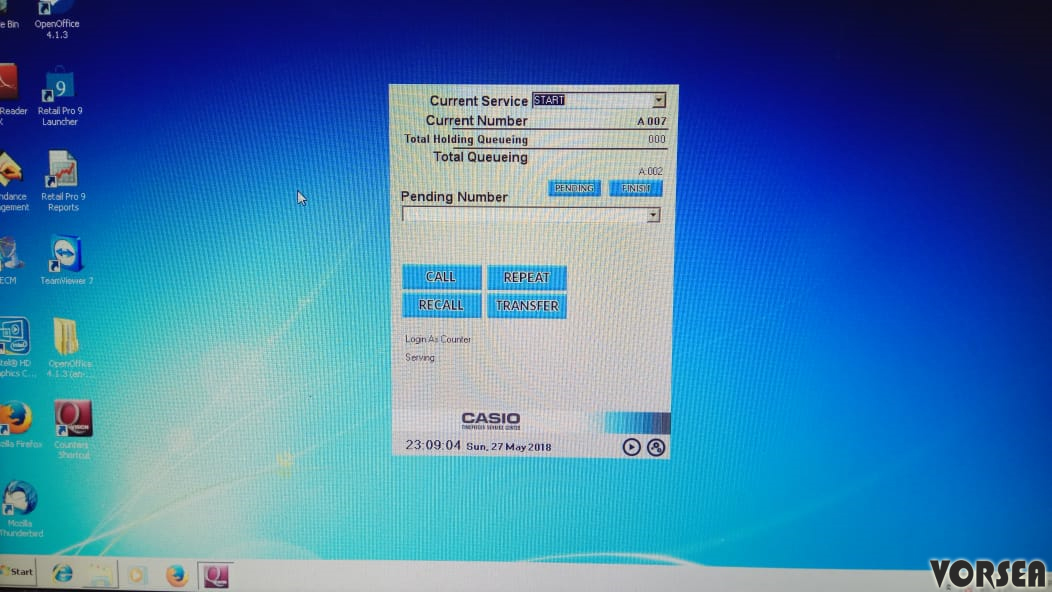
- One central version. The provider runs a single, central copy of the software (often serving many customers from shared systems) rather than shipping copies to install.
- Access over the internet. You reach it through a browser or a lightweight app, from a laptop, phone or tablet.
- Subscription pricing. You typically pay per user per month, or by usage tier, rather than a large one-off licence fee.
- Continuous updates. Improvements and security fixes are applied centrally, so everyone is on a current version without manual upgrades.
- Your data lives with the provider. Your documents, records and settings are stored on their systems, which is convenient but makes data portability and protection important.
The shift is from owning a product to renting a service. That single change drives almost every advantage and drawback of the model.
The pros
SaaS became dominant for good reasons, especially for individuals and small organisations.
- Low upfront cost. No large licence purchase or server to buy; you start with a modest subscription.
- No maintenance burden. Updates, patches and hosting are the provider's job, freeing you from IT chores.
- Access from anywhere. Because it runs in the cloud, you can use it on different devices and locations with an internet connection.
- Easy collaboration. Many SaaS tools let several people work in the same document or system at once.
- Scales with you. You can usually add or remove users quickly as needs change, paying only for what you use.
For a small business weighing tools, this often improves cash flow by turning a big one-off purchase into a predictable monthly cost.
The cons
The same model has real downsides, and an honest picture includes them.
- Ongoing cost. Subscriptions never stop. Over many years, renting can cost more than a one-time purchase would have.
- Dependence on the internet. No connection often means no access, and an outage at the provider can halt your work.
- Less control. You rely on the provider's choices about features, pricing and uptime, and changes are made on their timetable, not yours.
- Data and lock-in concerns. Your information sits on someone else's systems. Switching providers can be hard if data is difficult to export, and you must trust their security and privacy practices.
- Subscription sprawl. Organisations can end up paying for many overlapping tools that are barely used.
Because your data lives elsewhere, it is worth checking a provider's approach to protection and, in the UK, how they handle personal data under guidance from the Information Commissioner's Office. Strong account security matters too — pairing unique passwords with two-factor authentication is a sensible baseline.
Everyday examples
SaaS is easiest to grasp through the tools people already use:
| Need | SaaS example |
|---|---|
| Web-based email services | |
| Documents | Online word processors and spreadsheets |
| Storage | Cloud file storage and sharing |
| Communication | Video meeting and chat tools |
| Business | Customer relationship management (CRM) and accounting tools |
| Entertainment | Music and film streaming services |
The common thread is that you log in and use the service without ever installing or maintaining the underlying software.
How to choose SaaS sensibly
A few practical questions cut through marketing claims when picking a tool:
- What does it really cost per user, per year, including the tiers you will actually need?
- Can you export your data easily if you decide to leave?
- Where is data stored and how is it protected, and does that meet any rules your work is subject to?
- What is the uptime track record, and what happens during an outage?
- Does it integrate with the other tools you already rely on?
Thinking this through is part of basic cybersecurity hygiene as well as good budgeting.
The bottom line
SaaS is software delivered over the internet as a subscription service, run and maintained by the provider while you simply log in and use it. It lowers upfront costs, removes maintenance headaches and lets you work from anywhere, which is why it now powers so much of daily digital life.
The trade-off is permanent fees, dependence on your connection and the provider, and your data living on someone else's systems. Chosen with eyes open — clear on cost, control and how to get your data back — SaaS is a flexible and often excellent way to use software.
Frequently asked questions
What does SaaS stand for?
SaaS stands for software as a service. It describes software delivered over the internet as an ongoing service, rather than a product you buy once and install on your own machine.
How is SaaS different from traditional software?
Traditional software is installed and run on your own computer or servers, and you maintain it. SaaS runs on the provider's servers and is accessed through a browser or app, with the provider handling hosting, updates and maintenance for a recurring fee.
Do I own the software with SaaS?
No. You pay for access to use it, usually by subscription. If you stop paying, you generally lose access, so it is important to understand how you can export your own data.
Is SaaS safe for business data?
Reputable providers invest heavily in security, but you share responsibility. You should check where data is stored, how it is protected, how you can get it back, and that access is controlled with strong, unique passwords and two-factor authentication.
Join in — free. Comments on Daily Junction are for members, so real names stay rare and bots stay out.
One field. We email you a 6-digit code — no password needed. Your comment is kept while you do it.
Under 13? You’ll need a parent’s OK first — it takes them one click.